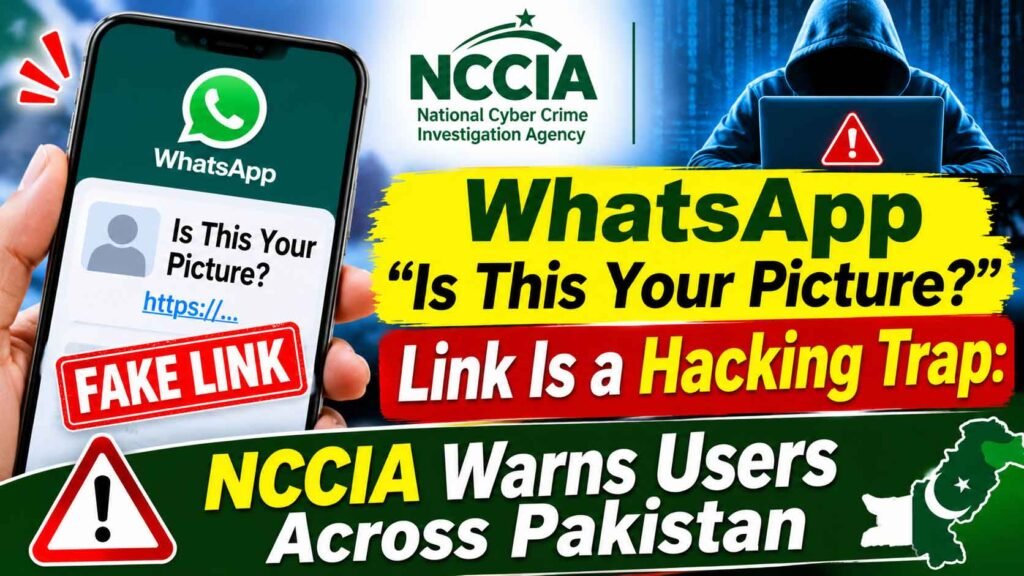
If you receive a WhatsApp message asking “Is this your picture?” with a link attached, do not tap it. Pakistan’s National CERT and the National Cyber Crime Investigation Agency (NCCIA) issued alerts on 26 October 2026 about a new wave of WhatsApp account hijacking spreading across the country, and this message is a part of it.
This is not the old scam where you lose money by sending a code. In this new method, the link opens a fake WhatsApp Web page and tricks you into linking the attacker’s device to your WhatsApp account. The hacker can then read your chats and photos and message your contacts pretending to be you — usually asking them for money. In many cases, no OTP is ever asked for, which is why so many people are falling for it.
WhatsApp “Is This Your Picture?” Link Is a Hacking Trap: NCCIA Warns Users Across Pakistan
The “Is this your picture?” link works because it exploits the most human instinct of all — curiosity — and because it often arrives from the number of someone you trust. The official position from National CERT and the NCCIA is clear: this is an account-hacking trap, accounts are being taken over without any OTP, and real people have already lost money, including Rs 1.3 million taken from the contacts of a single hacked account. Check your Linked Devices today, switch on two-step verification, and never enter a code on a page that a chat link opened. If a message makes you curious, that is exactly when you should stop and verify.
What Does the Message Look Like?
The trap usually arrives in one of these forms:
- A short message like “Is this your picture?”, “Look at this photo of you” or “Your photo is in this link”, followed by a link
- The message often comes from a known contact whose own account has already been hacked, so it looks trustworthy
- Variants of the same trap pretend to be a courier or parcel delivery update, a bank verification page, or an official notice with a link
- The link opens a page that looks exactly like WhatsApp Web and asks you to “verify”, scan, or enter a code to see the photo
The moment you complete that fake verification, the attacker’s phone or computer is added as a linked device on your WhatsApp — and they are inside your account.
How the Hack Works, Step By Step
- You receive the “Is this your picture?” message with a link, often from a friend or family member’s number
- Curiosity makes you tap the link. A page that looks like official WhatsApp Web opens
- The page asks you to confirm your number or enter a pairing code “to view the photo”
- Behind the scenes, this pairs the hacker’s device with your WhatsApp account through the Linked Devices feature
- The hacker now sees your chats, groups, photos and contact list, in real time
- Using your account, the hacker messages your contacts asking for urgent money, gift cards or bank transfers — and your contacts believe it is really you
- The same “picture” link is forwarded to your contacts, and the chain keeps spreading
There is also an older version of this fraud still active: a caller or sender posing as a courier company representative asks you to share a verification code for a parcel. The code is actually your WhatsApp registration code, and sharing it hands over your account completely.
A Real Case: Rs 1.3 Million Stolen Through One Hacked WhatsApp
This danger is not theoretical. On 2 November 2026, the NCCIA arrested a suspect in the Faisalabad area who had posed as a courier company representative, sent a victim a fraudulent link, obtained the verification code, and taken over the victim’s WhatsApp account. Posing as the account holder, he then asked the victim’s contacts for money and collected Rs 1.3 million from them.
A case was registered under the Prevention of Electronic Crimes Act (PECA) after the victim reported the matter to the Cyber Crime Reporting Centre in Islamabad, and the NCCIA has said action against account-hacking and online fraud networks will continue. Separately, the Pakistan Telecommunication Authority (PTA) has also warned citizens about criminals impersonating courier companies to extract one-time passwords (OTPs) from customers.
Warning Signs: How to Spot the Trap
- A link arrives with a curiosity hook: a photo, a video, a prize, or “someone posted about you”
- The message asks you to “verify”, scan a QR code, or enter a code on a web page to continue
- The web page asks for your phone number and a pairing code outside the WhatsApp app
- The sender is a known contact but the message style, language or timing feels unusual
- Right after the link, the same contact (or the hacker using their account) asks for urgent money
- Any link that does not belong to an official domain should be treated as fake. WhatsApp’s real web address is web.whatsapp.com — anything else is not WhatsApp
How to Protect Your WhatsApp Account
Do these five things today; they take less than two minutes:
- Check your Linked Devices. Open WhatsApp, go to Settings (or the three dots menu) > Linked Devices. If you see any device or browser you do not recognise, tap it and Log Out immediately. Repeat this check regularly
- Turn on Two-Step Verification. Go to Settings > Account > Two-Step Verification and set a 6-digit PIN. This stops anyone from registering your number on another phone, even if they get a code
- Never share your 6-digit WhatsApp code with anyone — not with a courier, not with a “bank officer”, not even with a friend asking on chat. WhatsApp never asks for it through a link or call
- Never enter a pairing code or scan a QR code from a link sent in a chat. Only link a device yourself, from inside your own WhatsApp app, on a computer you own
- Verify money requests by voice. If a contact messages you asking for urgent money, call them on their normal number first. A hacked account sounds exactly like your friend in text — a 30-second call exposes it
If Your WhatsApp Has Already Been Hacked
Act fast, in this order:
- Remove unknown devices: If you still have access to your account, open Linked Devices and log out every session you do not recognise. This cuts the hacker’s access immediately
- Re-register your number: If you have been logged out, reinstall WhatsApp and register again with your number using the SMS code sent to your SIM. This kicks out whoever registered your account elsewhere
- If a two-step PIN you did not set is demanded, you may have to wait for the reset period shown by WhatsApp. Do not pay anyone who claims they can unlock it faster
- Warn your contacts: Use another phone, SMS, or a family member’s WhatsApp to tell your contacts that your account was hacked and to ignore any money requests sent in your name
- Protect your money: If you shared any banking details, OTPs or made a payment, inform your bank immediately and change your mobile banking PINs and passwords
- Report it: File a complaint with the NCCIA through its official complaint channels or the Cyber Crime Reporting Centre, and keep screenshots of the message, the link and any transactions as evidence
FAQs
Is the “Is this your picture?” WhatsApp message real?
The message is real — it is really circulating — but it is a hacking trap, not a photo. National CERT and NCCIA alerts of 26 October 2026 warned that such links open fake WhatsApp Web pages that link the attacker’s device to your account.
Can my WhatsApp be hacked without sharing an OTP?
Yes. In this new method, the victim is tricked into completing a fake pairing on a lookalike WhatsApp Web page, which adds the hacker’s device under Linked Devices. No OTP needs to be shared for this to work, which is why checking your Linked Devices is so important.
How do I check if someone is using my WhatsApp?
Open WhatsApp and go to Settings > Linked Devices. Every active session is listed there. Any browser or device you do not recognise means someone else can read your chats. Log it out at once.
A contact sent me this link. Should I warn them?
Yes. Their account is most likely already hacked, and the hacker is sending the link to everyone in their chats. Call that person on their normal phone number — do not reply inside the hacked chat — and tell them to log out all linked devices.
Someone using a hacked account asked me for money. What should I do?
Do not send anything. Call the person directly on their real number to confirm. Hackers rely on urgency — claims of an emergency, an accident or a stuck payment. A quick voice call almost always reveals the fraud.
How can I make my WhatsApp safe for good?
Turn on two-step verification, check Linked Devices every few days, never share your registration code, never enter codes on pages opened from chat links, and keep WhatsApp updated from the official app store only.
Final Words
Sources: National CERT and NCCIA alerts of 26 October 2026 as reported in Pakistani media; NCCIA arrest reported on 4 November 2026 (case registered under PECA); PTA courier-fraud warning reported by ARY News, 8 November 2026.